Joplin is the beautiful open source replacement for Evernote. Once upon a time, Evernote was a dream app, but then they sent out an atrocious terms of service change after turning their user interface into drab garbage compared to the old colorful beauty that existed in version 4 and before. Joplin is fully functional and syncs on every platform. They also provide a pure APK for download so that one can install it on LineageOS or other nongeminized Android system. It offers full digital sovereignty.
One helpful tip that I spent a long time searching before learning, is that you can customize an image per notebook name, by right-clicking on the notebook, choosing edit, and then selecting an emoji. Each notebook can have a different emoji as the icon.
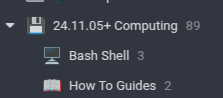
Here is the procedure to integrate it into the Linux desktop. Notably, the icon is still the beautiful blue icon, and not the atrocious black and white one that has taken center stage on Windows versions of the app.
chmod +x Joplin-3.4.12.AppImage
./Joplin-3.4.12.AppImage --appimage-extract
mv squashfs-root joplin-3.4.12
mv joplin-3.4.12 $HOME/Apps
cp $HOME/Apps/joplin-3.4.12/joplin.desktop $HOME/.local/share/applications
kate $HOME/.local/share/applications/joplin.desktop
Edit the file to say the following, but with $HOME replaced by the actual home directory of the relevant user:
[Desktop Entry]
Name=Joplin
Exec=$HOME/Apps/joplin-3.4.12/joplin --no-sandbox %U
Terminal=false
Type=Application
Icon=$HOME/Apps/joplin-3.4.12/joplin.png
StartupWMClass=Joplin
X-AppImage-Version=3.4.12
MimeType=x-scheme-handler/joplin;
Comment=Joplin for Desktop
Categories=Office;
Local download links:
Joplin-3.4.12 AppImage | Source as of 7 December 2025: joplin-dev-25.12.7
The last version that worked on OSX Catalina was 3.2.12.
